Case Study · 2023–2025

EnglishPlay

A grammar drill engine built from scratch — because no existing platform could do what my students actually needed.

Vanilla JS Supabase Netlify GitHub CI/CD 40,000+ Exercises CEFR A1–C2 Solo Project
View Live Site
scroll
Role
Designer · Developer · Content Author
Platform
Web · Dark & Light
Duration
1+ Year · Ongoing
Stack
JS · Supabase · Netlify · GitHub
Scale
40,000+ exercises · A1–C2
01 — The Problem

The gap that no platform
was filling.

After years of teaching English, I kept watching the same pattern: students understood grammar rules perfectly — then made the exact same mistakes a week later. The problem was not comprehension. It was the absence of structured, high-volume, bilingual repetition.

The Market Gap

Existing platforms fragment the experience

Students needed three or four different tools to cover grammar, vocabulary, phrasal verbs, and sentence structure. No single platform provided drilling at depth — all prioritised variety over repetition volume.

Grammar on one tool, vocabulary on another
Phrasal verbs never covered systematically
Feedback in English only — unusable for beginners
5–10 exercises per topic instead of 100
The Teaching Insight

Exposure to rules is not the same as automating them

My students knew the rules. They could explain them. But under pressure the wrong pattern fired automatically. The solution was not more theory — it was a system designed around controlled, high-density repetition.

Students repeated errors despite knowing the rule
No tool offered bilingual EN+RU grammatical feedback
Sentence construction underrepresented everywhere
Constant app-switching killed momentum and focus
Problem severity — from 8 years of direct teaching observation
Repetition volume deficit95%
Fragmented multi-platform experience88%
Absence of bilingual EN+RU feedback82%
Lack of sentence construction training76%

From classroom
insight to
production.

No formal research agency. No handed-over brief. The research was 8 years of teaching — every mistake my students made was a data point that informed architecture, content, and UX.

01
Teaching
Research
8 yearsError patterns · Level mapping · Real students
02
Product
Strategy
ArchitectureExercise taxonomy · Platform decision
03
UX + IA
Design
Personas · FlowsInformation architecture · CJM
04
UI Design
System
Dark + LightTokens · Components · Responsive
05
Development
JS · SupabaseNetlify · GitHub CI/CD · Auth
06
Content
at Scale
40,000+CEFR A1–C2 · Bilingual feedback
Role: Solo — all disciplines
Platform: Web · Desktop + Mobile
Duration: 1+ year
Users: Real students + public
Themes: Dark & Light
03 — Personas

Three learners.
One system.

Derived from direct teaching experience across multiple countries and student profiles. Not hypothetical — composite portraits of real people I taught.

A
Alina
24 · University Student · B1
"I understand grammar when someone explains it, but I still make the same mistakes when writing on my own."
B1Russian nativeSelf-study
Frustrations
Platforms explain rules but offer only 5–8 exercises
Feedback in English — hard to understand when unsure
Jumps between apps and loses momentum
What she needs
100 exercises per topic to build procedural memory
Bilingual feedback that explains why she was wrong
M
Mikhail
38 · Engineer · A2–B1
"I need practical English for my job. I want grammar, sentence structure, and clear explanations — not songs and games."
A2–B1ProfessionalGoal-driven
Frustrations
Gamified apps feel childish and waste limited time
Can't find structured phrasal verb practice anywhere
Needs explanations to reference — not just right/wrong
What he needs
Serious, professional interface without distractions
Dense, systematic exercises he can work through linearly
S
Sofia
16 · Secondary School · A1–A2
"My teacher told me to practise grammar at home but I don't know where to start or if I'm doing it right."
A1–A2Teen learnerTeacher-assigned
Frustrations
Overwhelmed by complex platforms not built for beginners
Needs clear visual feedback — right/wrong is not enough
No bilingual support when she genuinely doesn't understand
What she needs
Simple focused interface with no cognitive overload
Clear progress indicators and bilingual explanations
04 — Information Architecture

Every path leads
to practice.

The architecture is designed around one principle: minimise the distance between landing and drilling. The exercise is always one or two clicks away.

EnglishPlay
Homepage
Hero — value prop
Module navigation
CTA — Get Started
Grammar Practice
Level select A1–C2
Topic select
Multiple Choice
Fill in the Gaps
Make a Sentence
Phrasal Verbs
Match Pictures
Write Definitions
Fill in Gaps
Choose Meaning
True / False
Find the Mistake
Auth System
Sign In / Sign Up
Reset Password
Dashboard
Progress tracking
05 — User Flow

From landing to drilling
in under 60 seconds.

The primary flow was designed to eliminate friction at every step. A new user should be able to start their first exercise without creating an account — and sign up only when they feel the value.

Land on Site
Homepage
Choose Module
Grammar or Phrasal Verbs
Select Level
A1 to C2
Select Topic
Grammar category
Choose Type
MC · Fill · Sentence
Modal Opens
Zero page reload
Answer → Instant bilingual feedback
Save Progress
Auth after value
06 — Customer Journey Map

Alina's first session.

B1 student, Russian native, first time trying EnglishPlay to practise relative clauses before an exam. Mapped across the full emotional arc — from search to return.

Discovery Arrival First Exercise Feedback Moment Return Decision
Action Googles "relative clauses exercises" in Russian Lands on homepage, sees grammar module Selects B1 → Relative Clauses → Fill in the Gaps Answers incorrectly, reads bilingual explanation Completes 12 exercises, bookmarks the site
Thinking "I need something serious, not games" "This looks clean. Let me try." "Finally — a real B1 exercise, not beginner stuff" "Oh! That's why it's wrong — I finally get it" "I want to come back and finish all 100"
Feeling
Frustrated
Curious
Focused
Clarity
Satisfied
Pain Points English-only resultsToo many ads Slow load = bounce Page reload = friction EN-only feedback unusable at B1 No account = no saved progress
Opportunities RU-searchable content Fast minimal homepage Modal — zero reload Bilingual EN+RU feedback Supabase auth + progress save
EP Response Content indexed bilingually Lightweight fast load Modal-based drill engine feedbackEN + feedbackRU on every item Dashboard with progress counter
07 — Interface

Dark & Light.
Every screen.

Both themes are fully independent systems — separate HTML, CSS, and JS files. No variable toggle, no cascading conflicts. Complete visual parity across every page and every state.

Homepage — Dark Theme
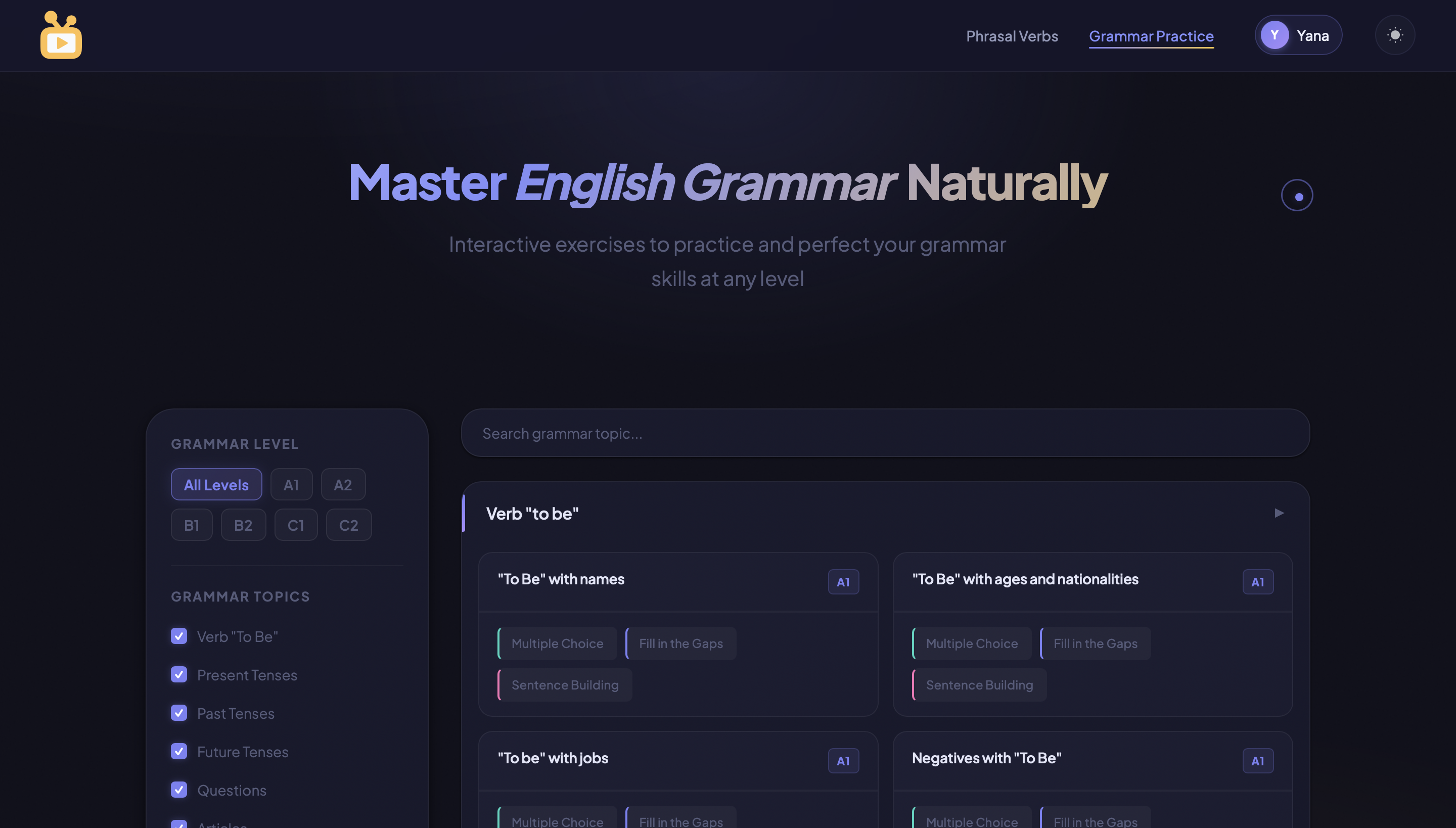
Homepage dark theme
Homepage — Light Theme
Homepage light theme
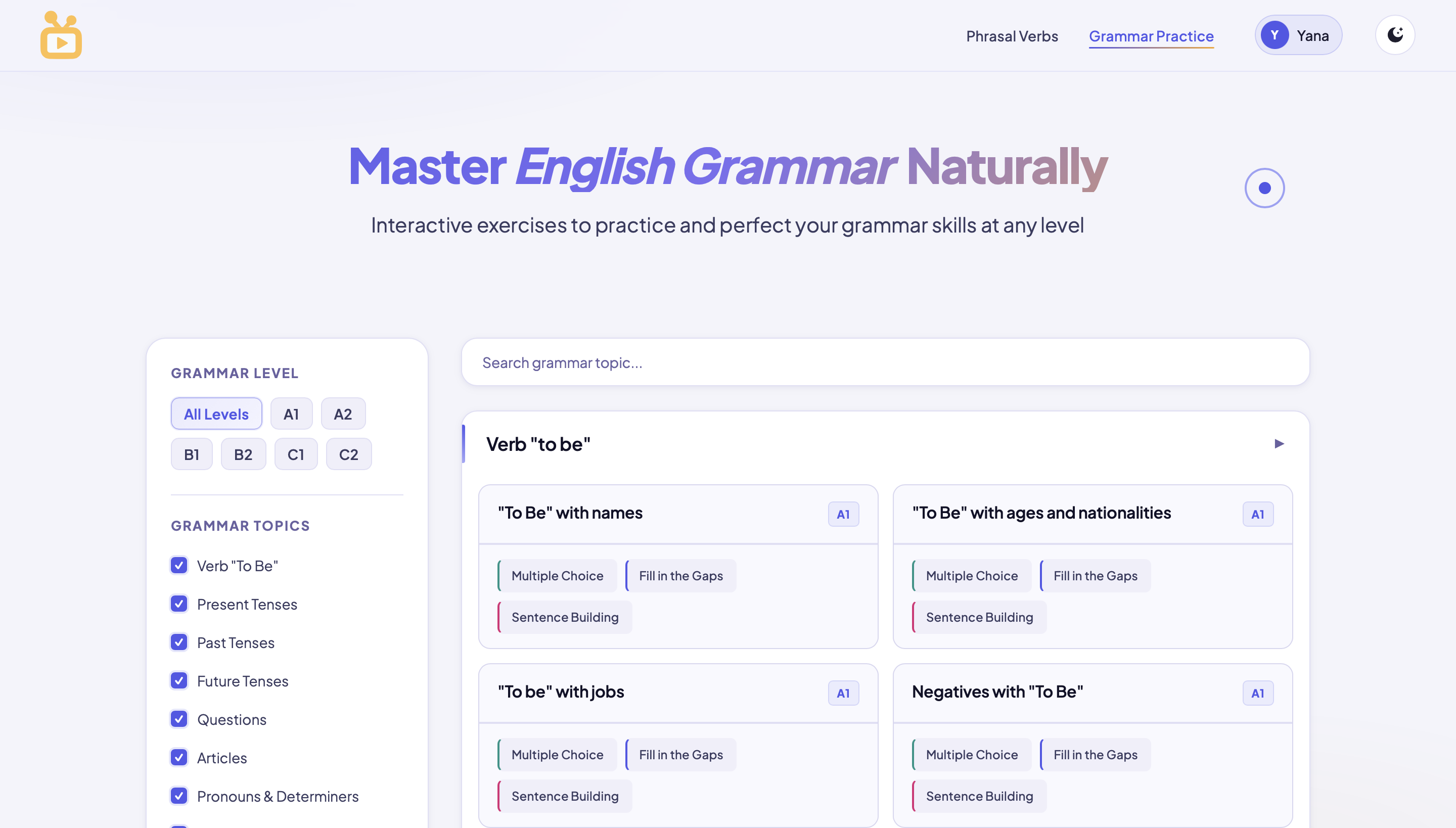
Grammar Practice
Grammar Practice
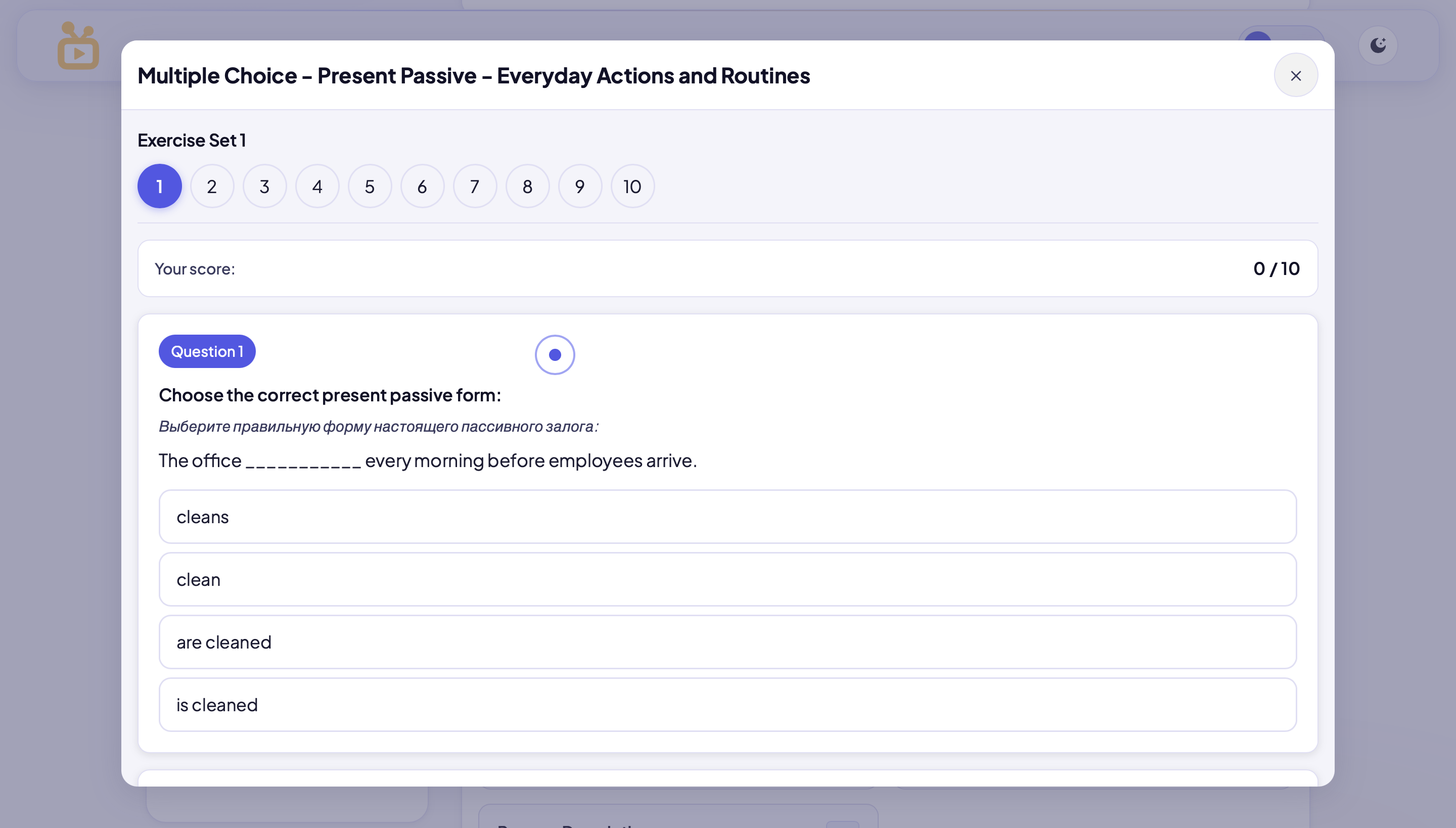
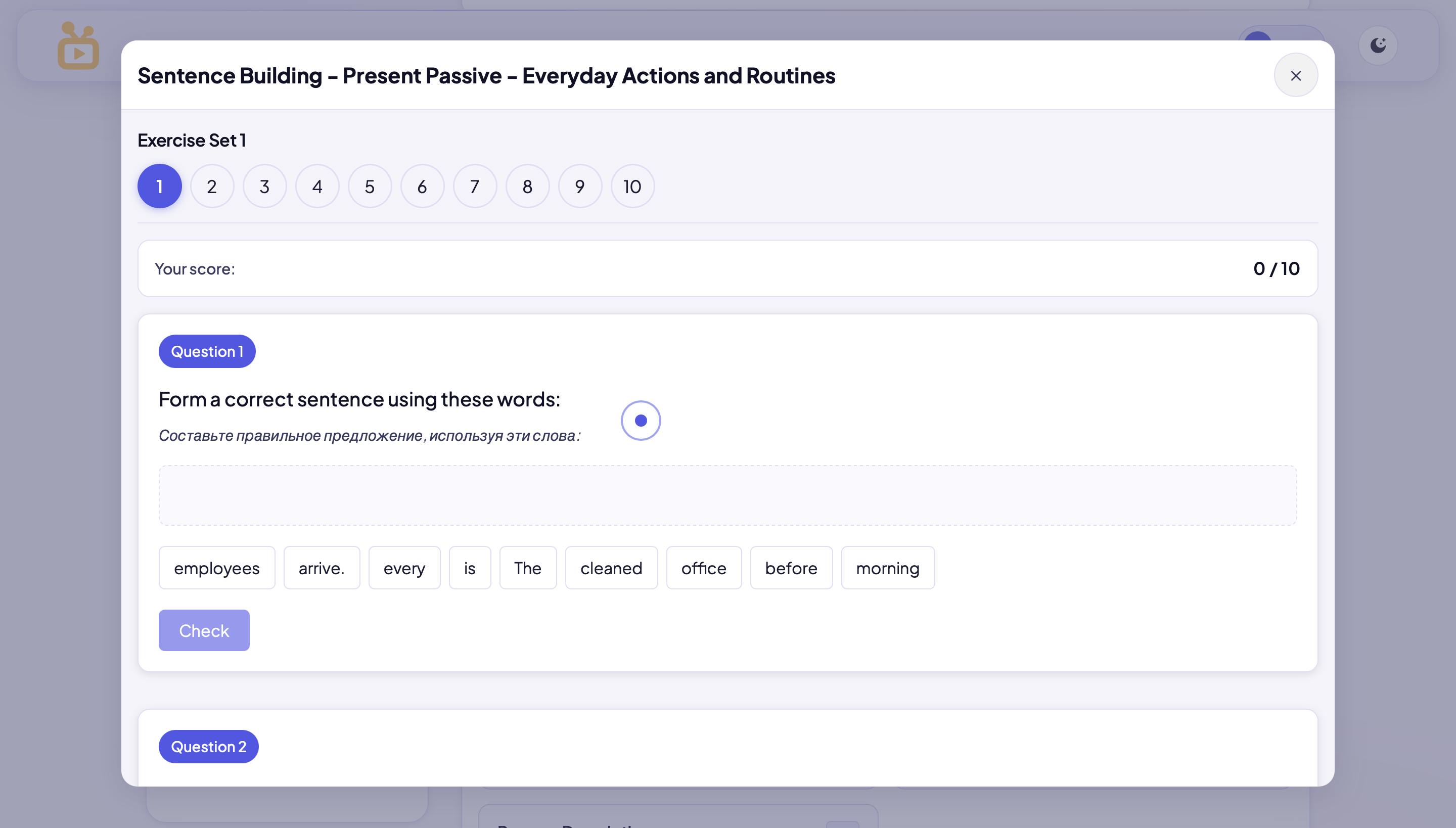
Exercise Modal
Exercise modal
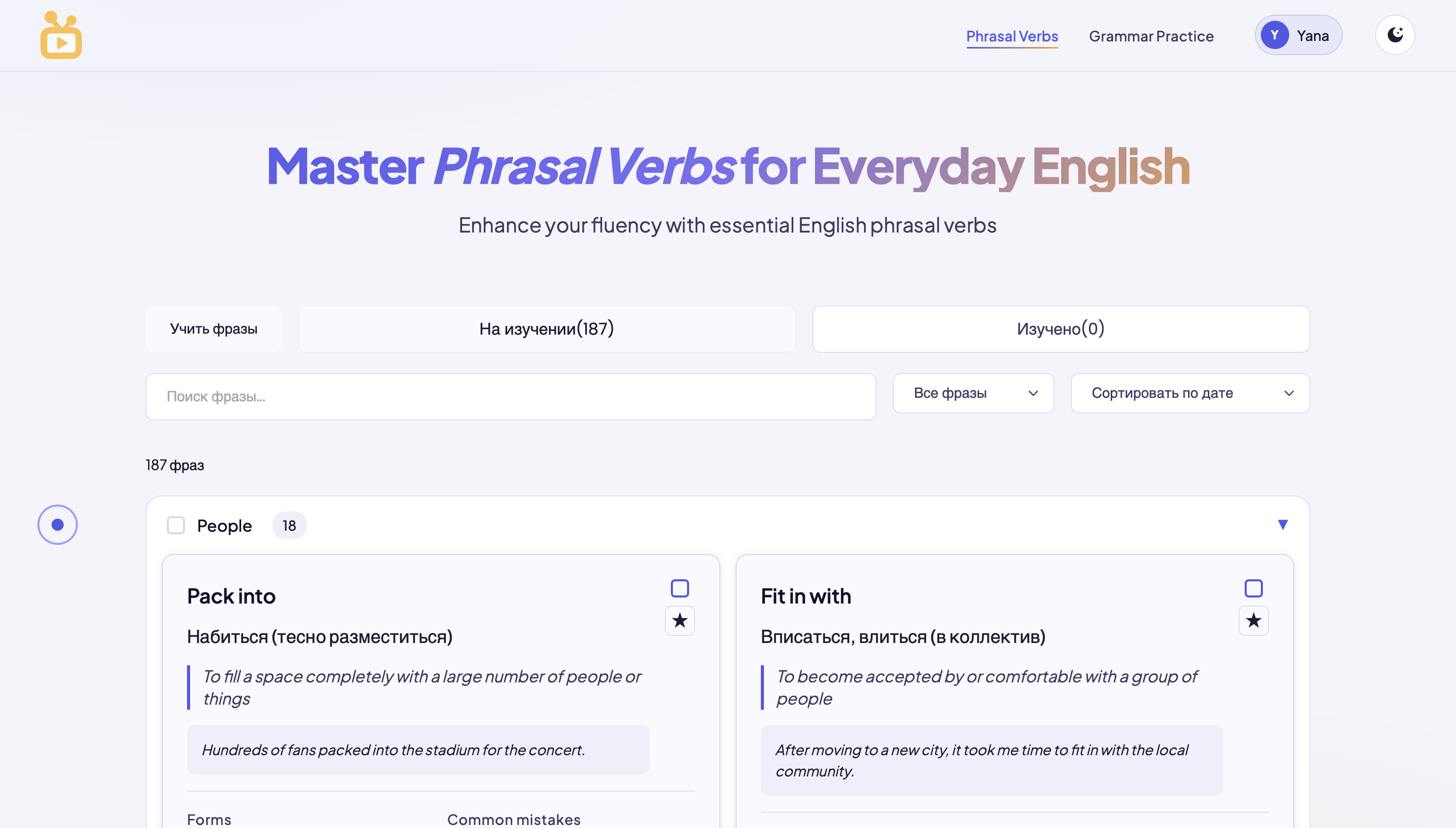
Phrasal Verbs
Phrasal Verbs
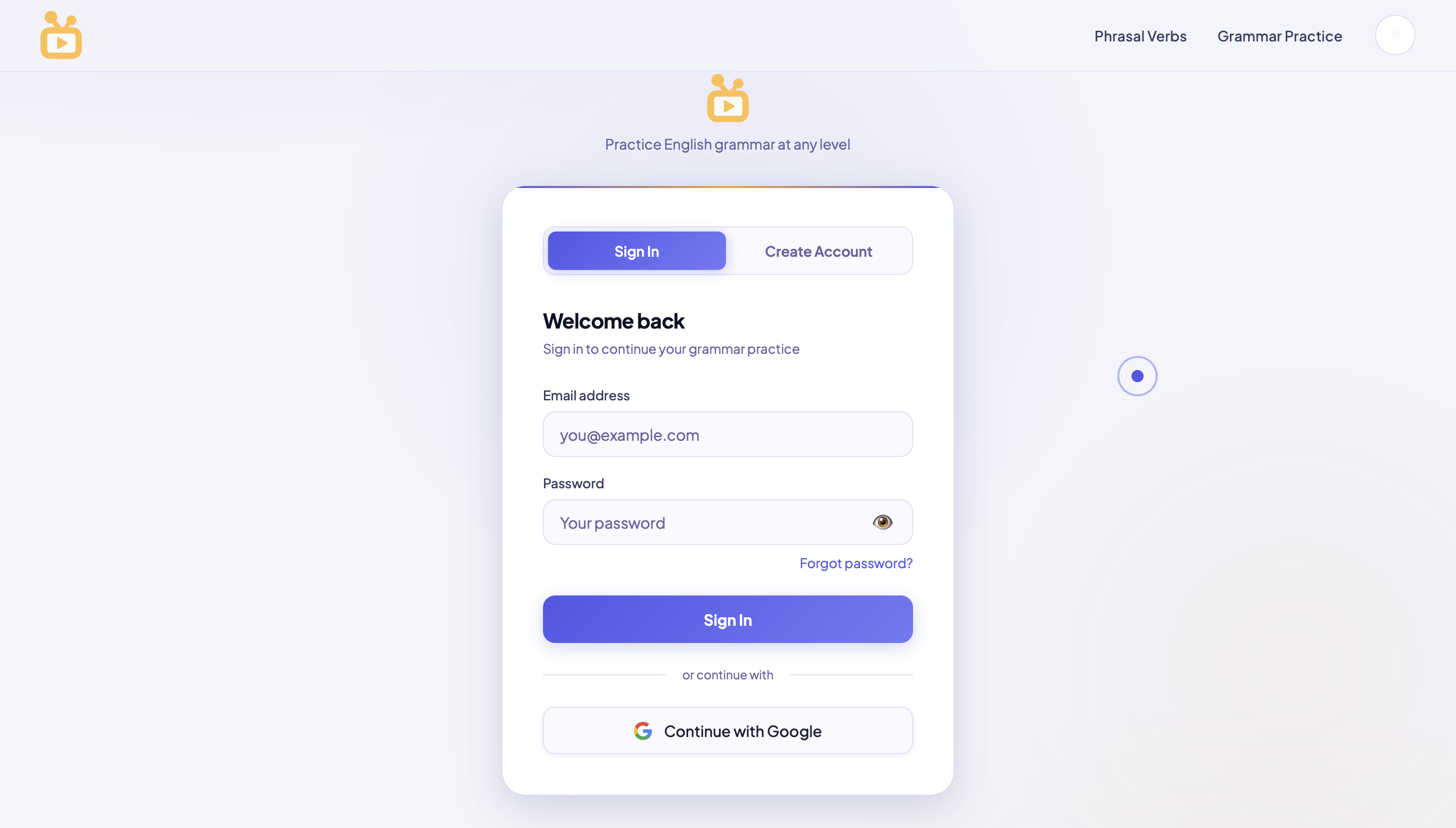
Auth Flow
Auth screen
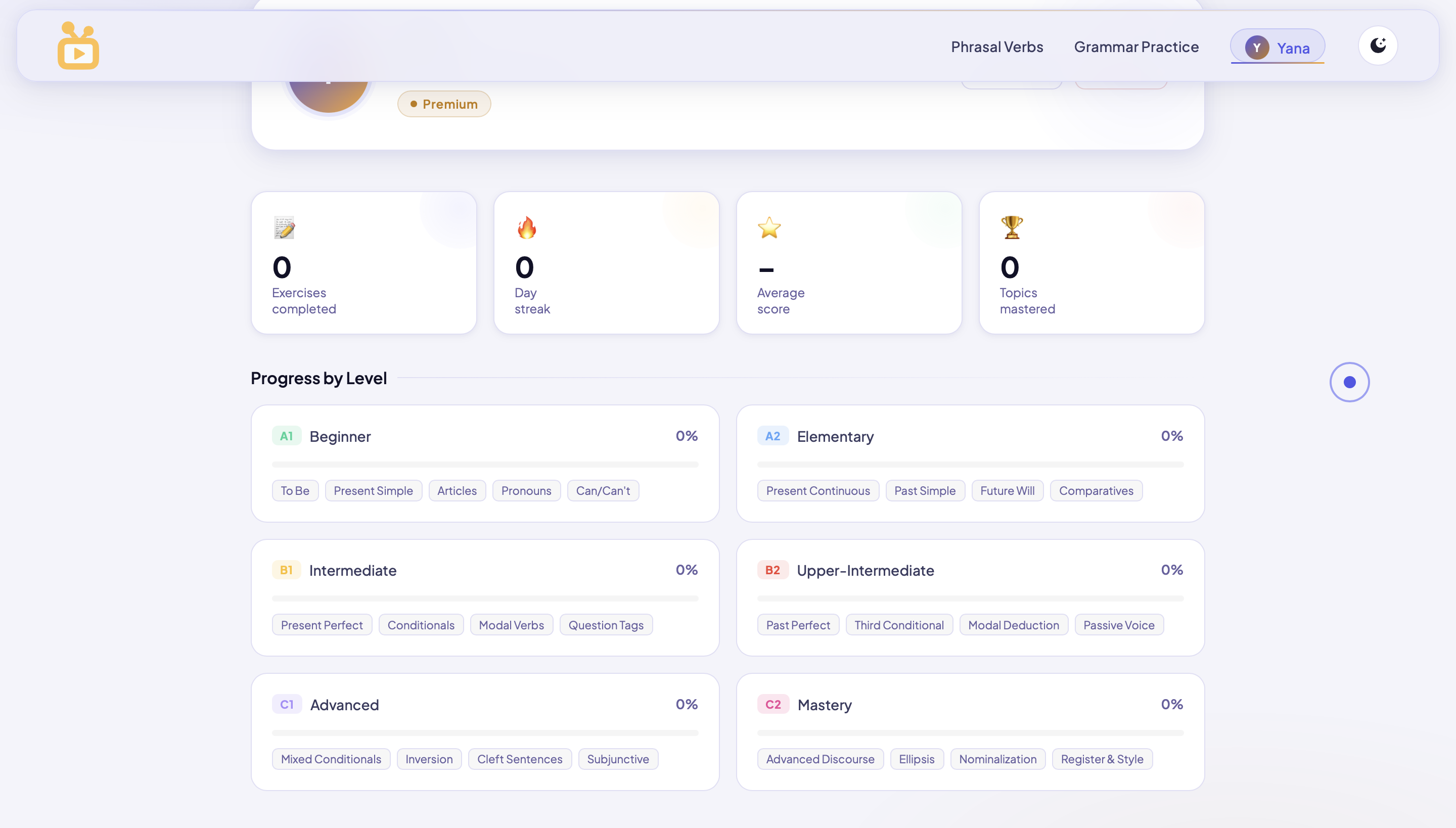
Dashboard & Progress
Dashboard
08 — Technical Decisions

Every choice was a
deliberate tradeoff.

Building solo means choosing carefully. Each decision below was made after evaluating alternatives — not by default or convenience.

Auth Architecture

Supabase over Firebase

Needed production-grade auth with email/password, magic links, and password reset — without managing a backend. Supabase provided Postgres, real-time subscriptions, and a publishable key model that works in a static JS context. The reset-password flow parses access_token from the URL hash, calls setSession() client-side, and conditionally renders one of three states: form, success, or expired link.

Chose
Supabase — SQL, open source, built-in auth flow, reset link handling out of the box
Passed
Firebase — NoSQL lock-in, complex rules, overkill for this architecture
Deployment

GitHub → Netlify

Every push to main triggers an automatic build and live deploy to englishplay.org. Zero manual FTP, zero config. Automatic HTTPS, instant rollbacks.

Chose
Netlify — git-connected, custom domain, zero config CI/CD
Passed
Self-hosted — unnecessary maintenance for a static-first site
Theme System

File Duplication over CSS Toggle

Separate -light HTML/CSS/JS files with hardcoded redirect. Isolated CSS, no specificity conflicts, fully predictable rendering across every page.

Chose
Separate files — zero conflicts, total isolation
Avoided
CSS variable toggle — caused shared/page-specific conflicts
Exercise UX

Modal-Based Flow

All exercises run inside modals. Zero page navigation mid-session. History API pushState manages back-button behaviour so users exit cleanly without losing context.

Chose
Modal — continuous flow, no reload, maintained state
Avoided
Page-per-exercise routing — breaks focus, adds load time
Framework Choice

Vanilla JS

Zero build step, zero bundle complexity. The exercise rendering engine is completely transparent and debuggable. Fast, deployable as static files, maintainable by one person.

Chose
Vanilla JS — full control, zero overhead, instant deploy
Passed
React/Vue — overkill for a content-heavy static site
Content Architecture

Structured JS Files as the Content Layer

40,000+ exercises stored in JS files with strict data contracts: correctAnswer always index 0 (shuffled at render time), exactly four underscores for gap markers, mandatory feedbackEN and feedbackRU strings on every object. Validation scripts check every file against the contract before commit. Hosted on GitHub — versioned, diff-able, and deployable as part of the same CI/CD pipeline as the UI.

Chose
JS files on GitHub — versioned, validated, zero database overhead, same pipeline
Passed
CMS or database — added cost and latency for zero functional gain on static content
09 — Design System

A system built to
scale with content.

Token-based from day one. Every colour, spacing value, and component is defined in CSS custom properties — making dark and light themes structural, not cosmetic.

Colour Tokens

--bg
--card
--accent
--gold
--ok
--err
--b2
--b3

Semantic tokens map across both themes. Correct/danger states use colour + icon — never colour alone. Accessibility: contrast ratios verified for all text combinations.

Typography

Display — 800
Practice.
Label — 700 uppercase
Grammar Practice
Body — 400
Plus Jakarta Sans — chosen for clean legibility at small sizes during exercise sessions and strong numeric rendering for level indicators.

Buttons

Primary uses gradient + glow shadow. Ghost uses 1px stroke. Hover states shift Y-2px for both — consistent micro-interaction.

Feedback Chips

Correct Try again B2 Level

Every feedback state uses icon + colour. Never colour alone. Critical for accessibility and for learners who may be colour-vision deficient.

Spacing Scale

4px — micro gap
8px — tight
16px — element
32px — component
64px — section
120px — page
10 — Content Architecture

40,000 exercises.
One strict contract.

The biggest challenge wasn't writing the exercises — it was building a system where every file could be authored consistently, validated automatically, and rendered without any edge-case handling in the engine.

The Scale Problem

Volume and consistency — the hardest constraint

Creating 40,000+ exercises across grammar topics, 3 exercise formats, and 6 CEFR levels — without a CMS, without a team — required treating content authoring as an engineering problem.

Where to host 40k+ exercises without database overhead
How to enforce bilingual feedback on every single item
How to prevent silent rendering failures from malformed data
How to scale authoring without slowing UI iteration
The Solution

Structured JS files with enforced data contracts

Every topic lives in its own JS file. The render engine reads these files and trusts the contract — it never needs to handle missing fields or unpredictable structures.

Hosted on GitHub — versioned, diff-able, deployable in same CI/CD
correctAnswer always index 0 — shuffled at render time
Exactly 4 underscores as gap marker — machine-parseable
Mandatory feedbackEN and feedbackRU on every object
Exercise file structure — actual data contract
relative-clauses-b1.js
const exercises = [ { id: "rc_b1_001", sentence: "The woman ____ called yesterday is my teacher.", options: [ "who", // index 0 — always the correct answer "which", "whom", "whose" ], correctAnswer: 0, // enforced contract: always 0 feedbackEN: "Use WHO for people in defining relative clauses.", feedbackRU: "WHO используется для людей в определительных придаточных.", level: "B1", topic: "defining-relative-clauses" } // ... 99 more objects in this file ]; export default exercises;
Why GitHub, not a database?

Exercise content is static — it doesn't change per-user, doesn't need querying, and doesn't benefit from a relational structure. Storing 40k+ exercises in JS files on GitHub means they are versioned, diff-able, and deployable as part of the same Netlify CI/CD pipeline as the UI. A database would have added cost, latency, and infrastructure complexity for zero functional gain.

11 — Key Challenges

What I solved that
wasn't in the brief.

The hardest problems were not design problems or coding problems in isolation — they were where design, code, and content architecture collided.

01
Auth System
Supabase session management and password reset flow
The Problem

Supabase password reset sends a link containing access_token and refresh_token in the URL hash fragment. The challenge: parsing these tokens correctly client-side, calling setSession() before the user interacts with the form, and handling the expired-link edge case — all without a backend server to manage state.

The Solution

Built a client-side token parser that reads window.location.hash, extracts access_token and type, calls supabase.auth.setSession() before form render, and conditionally shows the form, success, or expired-link state. Three fully self-contained visual states driven entirely by token presence — no backend required.

02
CSS Architecture
Specificity conflicts between shared and page-specific stylesheets
The Problem

The site uses a shared base stylesheet plus page-specific CSS files. As the design system grew, specificity conflicts began breaking component styles — a shared button style would be overridden by a page-specific rule, or a modal style would leak into adjacent components. The CSS variable toggle approach amplified these conflicts.

The Solution

Adopted a file-duplication architecture for themes: separate -light HTML/CSS/JS files with a hardcoded redirect script. This isolated each theme entirely, eliminating cross-contamination. Shared styles were refactored with explicit scope prefixes. Result: zero specificity conflicts, fully predictable rendering across both themes.

03
Content at Scale
Authoring 40,000+ exercises with zero CMS and zero errors
The Problem

Creating 40,000+ exercises manually without a database or CMS meant the content structure itself had to enforce correctness. Any inconsistency — wrong index for the correct answer, wrong number of gap underscores, missing bilingual feedback — would break the rendering engine silently without throwing an error.

The Solution

Established strict data contracts in every JS file: correctAnswer always at index 0, exactly four underscores as gap marker, mandatory EN and RU feedback strings. Built a validation script that checks every file against these contracts before commit. The content pipeline became systematic and reliable rather than error-prone.

04
UX Architecture
Modal flow without breaking the browser back button
The Problem

Delivering 100 consecutive exercises inside a modal without any page navigation created a UX tension: the browser back button would exit the entire page rather than close the modal — breaking the expected navigation model and frustrating users mid-session.

The Solution

Implemented History API pushState to add modal open/close states to the browser history stack. Back button now closes the modal and returns to topic selection. Combined with a progress counter inside the modal, users always know where they are in a 100-exercise session and can exit cleanly without losing context.

12 — Outcomes

Built to last.
Designed to drill.

0
structured exercises across A1–C2 grammar and phrasal verbs
9
exercise types across Grammar Practice and Phrasal Verbs modules
2
fully independent theme systems — dark and light — complete parity
1+
year in production with real students and external users

EnglishPlay proves that a solo developer-designer with deep domain knowledge can outperform generic platforms in a specific niche — not by having more features, but by making the right ones work with surgical precision.

Vanilla JS Supabase Auth Netlify CI/CD GitHub CEFR A1–C2 Bilingual EN+RU Modal UX Design System Solo Project
13 — Reflection
Scaling content is significantly harder than
scaling code. Domain expertise is not
separable from the product — it is the product.
— Yana Harcourt, after 1+ year building EnglishPlay

Content volume is the real engineering challenge

The technical architecture took weeks. Creating 40,000+ exercises with consistent quality, bilingual depth, and pedagogical accuracy took months. No amount of good UI compensates for shallow content — and no amount of content compensates for a broken system to deliver it.

UX complexity compounds with exercise variety

Each new exercise type multiplied the number of interaction states, feedback scenarios, and edge cases to handle. The modular JS architecture was not a nice-to-have — it was what made iteration possible without regression breaking existing exercises.

Repetition needs UX balance at scale

100 exercises per topic is the right number for automatisation — but only if the UX doesn't fatigue the user. Every micro-interaction decision (instant feedback, zero reload, progress counter) was in service of keeping students in flow long enough for the repetition to actually work.

What I would do differently

With the benefit of a full year of production use, there are three structural decisions I would revisit from the start.

Build the CSS variable token system correctly from day one — avoiding the duplication architecture that solved the problem but created maintenance overhead
Implement a lightweight CMS or structured data layer for exercises earlier — authoring at this volume in raw JS files is powerful but brittle at the edges
Add progress analytics from the start — understanding which topics users abandon versus complete would directly improve content prioritisation